Why / when to use this
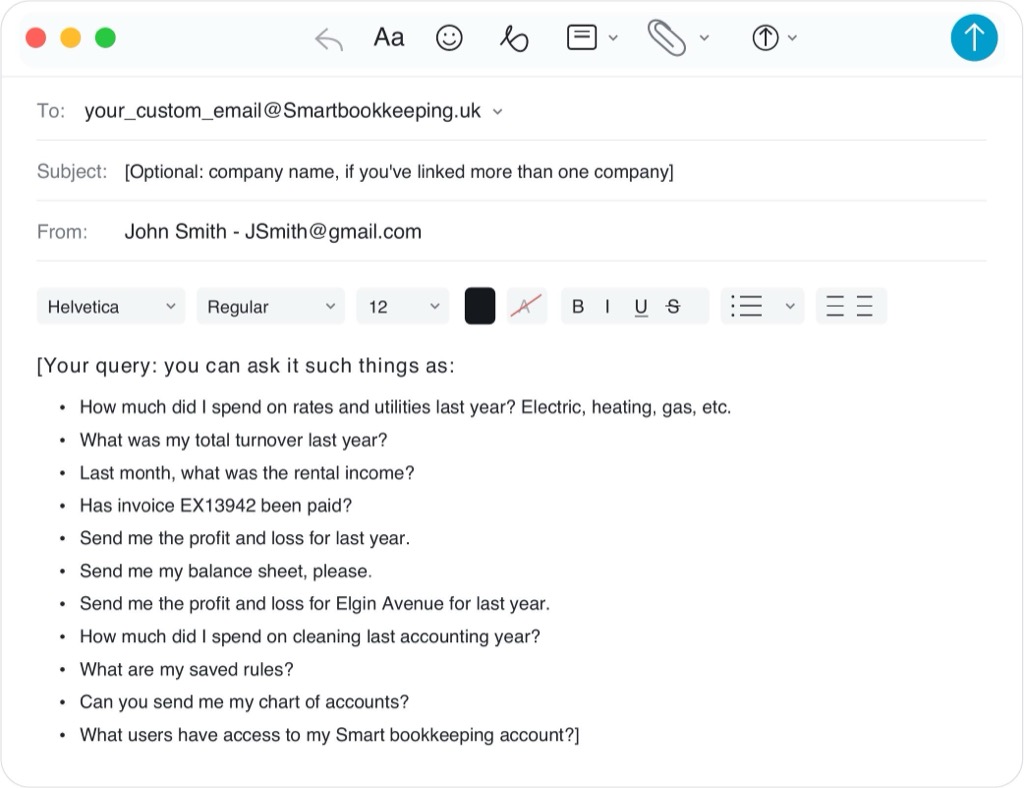
Use an email when you need a quick answer from live Xero data without opening and filtering every report yourself.
How to do it
Has invoice 154344 been paid?Is this already in Xero?+ PDFShow unpaid invoices for Example Co LimitedSend profit and loss for last accounting year(optional property name exactly as in Xero)Balance sheet/what is the loan balanceEmail me the chart of accounts as a PDFWhich companies do I have?Send me last month’s rental statement PDFs→ you will be told to download them from Xero.
What happens next
An email answer, sometimes with a PDF. This is not a replacement for Xero reports you run yourself.
Example — what you send
Example — what your AI replies
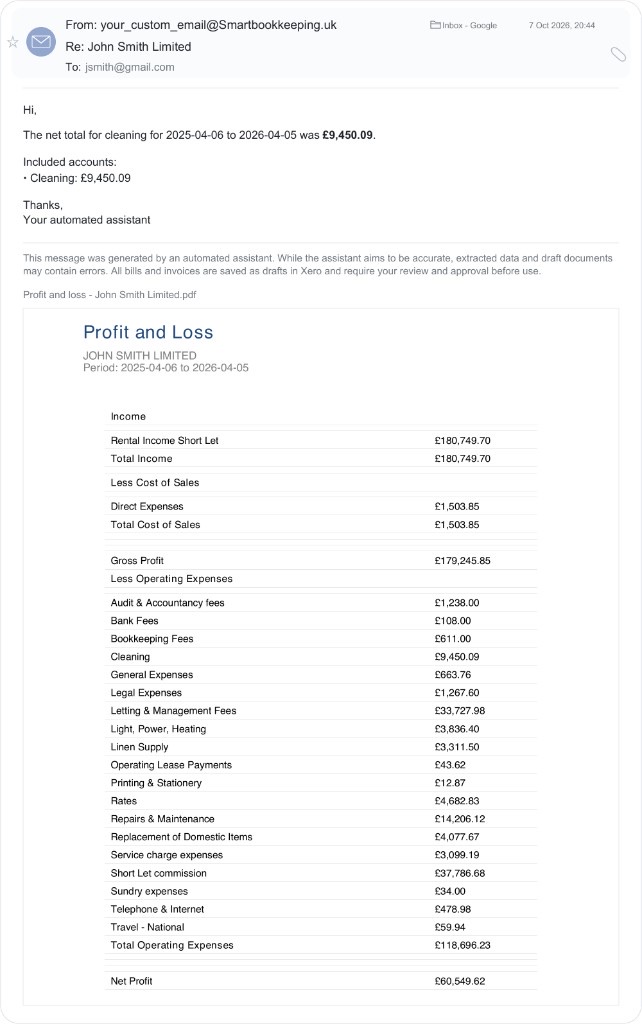
Example
If something goes wrong
Unknown property names fail rather than guess. “Last year” and “last accounting year” both mean the most recently completed reporting year (6 April to 5 April). You can also ask by month — for example “last month” or “March 2025”. She can email a new profit and loss or chart of accounts PDF from live Xero data. She cannot re-send the original receipt or statement you filed earlier — open that document in Xero and download the attachment there.