Email your assistant
Attach a receipt, bill or statement. Leave the message blank unless you want to add an instruction.
Your own AI data entry assistant — and you choose their name.
Making Tax Digital on your mind? When receipts pile up, it can be hard to know where to start.
Start with one email. Your assistant prepares the draft in Xero, fills in accounts, VAT and tracking for each line, and attaches the original file. It replies with what it did. You review and approve in Xero.
Get your own assistantYour inbox is the control panel for the work. Email a document or instruction to your assistant. It prepares a draft in Xero and replies with exactly what it did. Need a correction or want to teach it a rule? Just reply. Review and approve the draft in Xero. Account owners also have an optional Owner Console for companies, users, VAT and connection settings—not for filing.
Built around your business
Get your own assistant email address at smartbookkeeping.uk. Send documents, give instructions, save rules and request corrections—all by email.
Your assistant uses your Xero chart of accounts and tracking categories from the start. To fine-tune how it works, email your instructions in your own words and confirm the rule it sends back.
Your instruction
“Always put receipts from this supplier under repairs and maintenance.”
Your assistant
“I’ll categorise future receipts from this supplier as Repairs and Maintenance. Reply CONFIRM to save this rule.”
CONFIRMHow it works
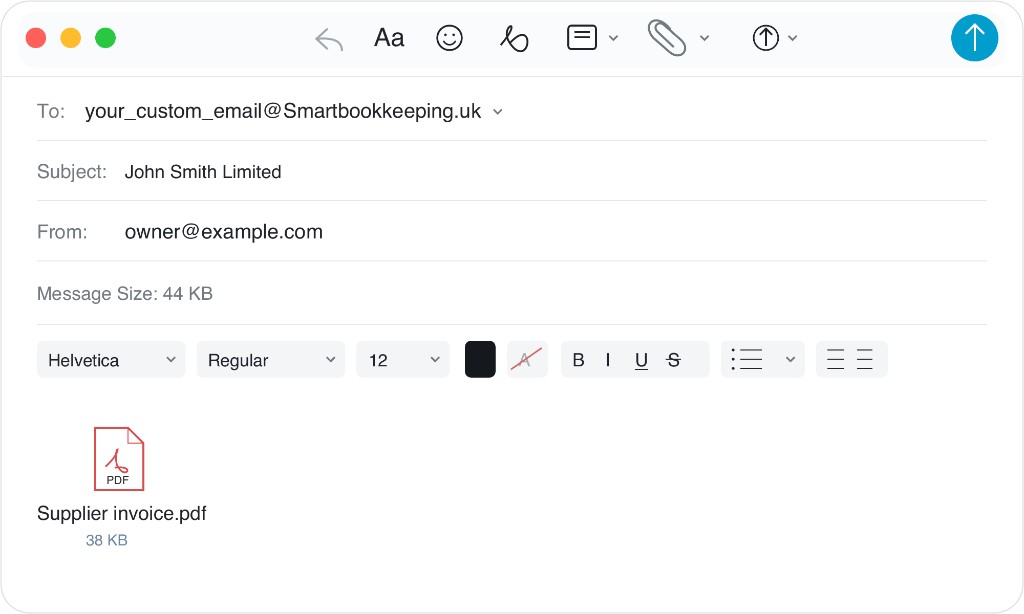
Attach the receipt or bill and send the email. You do not need to type a message or give any instructions unless you want something specific.
One Xero company connected? Just send it. More than one? Put the company name in the subject line so your assistant knows where it belongs.
No explanation needed. In this example, the subject names the company because the sender has more than one.
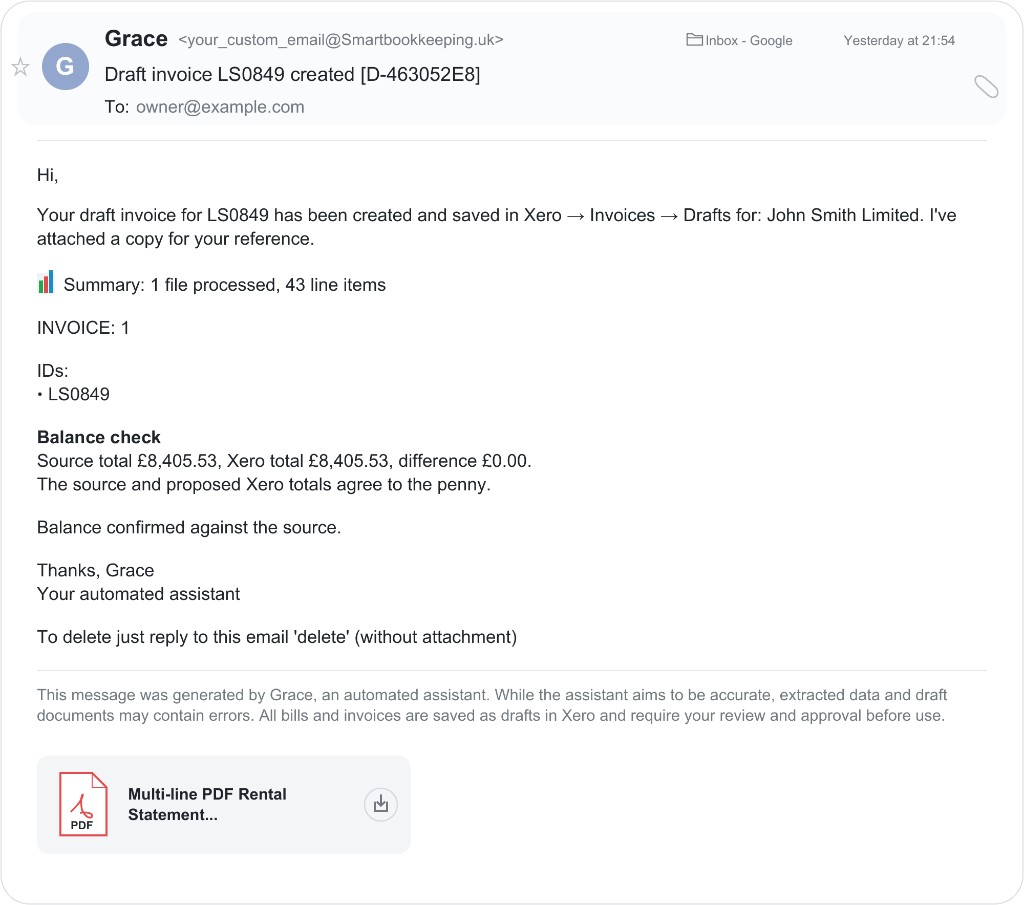
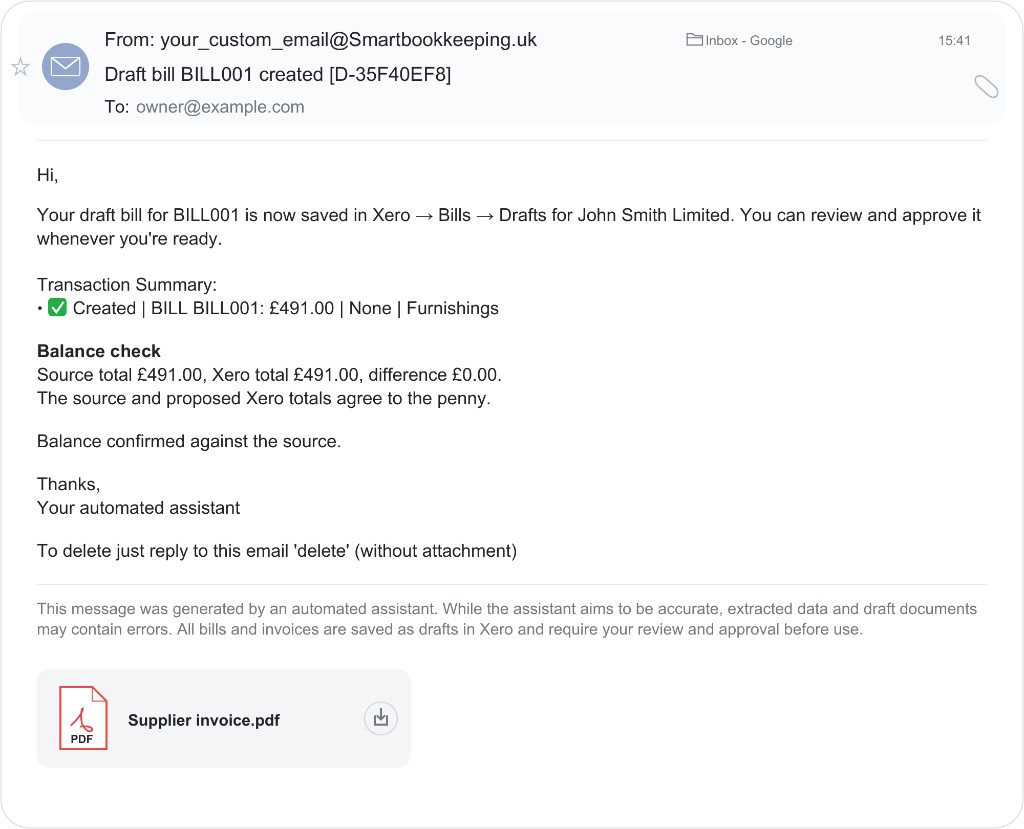
Your assistant replies with what it created, the balance check and where to find the draft in Xero.
Attach a receipt, bill or statement. Leave the message blank unless you want to add an instruction.
It reads the file, fills in the Xero lines and attaches the original document.
It tells you what it did. Review and approve the draft in Xero, or reply if you want a correction.
Personalised assessment
Answer 10 quick questions and get a personalised report showing where it could save you time and whether it’s right for you.
Takes about three minutes. See your report immediately and receive a copy by email.
Core capabilities
The same assistant handles everyday documents and the fiddly work that usually sends you back to a dashboard.
| Email your assistant | What happens in Xero |
|---|---|
| Receipts and supplier invoices | Itemised draft bills, with the original file attached. |
| Sales invoices, quotes and credit notes | Drafts created from the details you give it. |
| Rental statements and spreadsheets | Each line coded to accounts and property tracking; ask for a journal instead when needed. |
| Splits and recharges | Costs allocated across accounts, properties or people as you instruct. |
| Rules, accounts and tracking | Teach a lasting rule or request a new Xero option by email, with confirmation before it is saved. |
| Questions about your Xero data | Ask about unpaid invoices, balances or your chart of accounts. |
About us
Smart Bookkeeping began at Real Capital Apartments. Multi-property rental statements were taking hours to enter and track line by line. We built an assistant that could do that work by email, then made it useful for everyday receipts and bills too.
It is built for business owners and bookkeepers working together: less typing, more time to review the books.
From someone using it
“We wanted a simple way, with no middle platform, to put our data into Xero. We wanted to send our documents and know they were done. Smart Bookkeeping filled the gap.”
You stay in control
Your assistant creates drafts in Xero and attaches the original documents. You or your bookkeeper review and approve them there.
We don’t keep documents or extracted financial details after processing. Read how we handle your data
Get started
Give your assistant a name, connect Xero and start sending your documents.
Compatible with Xero only.
Starter
£9.99 / month (inc. VAT)
Includes a monthly processing allowance. Usage is calculated based on processing cost. Top up credits when you need more.
30-day trial with included processing credit. Usage depends on document complexity. Service pauses automatically when the trial allowance is reached.